Administration Manager
The Administration Manager is a tool that allows administrators to set up preferences for groups, and import and export users and groups. The Administration Manager provides tools to handle users and groups, and publish new updates to the Spotfire Server. All other administrative functions that were previously performed in the Administrator Manager can be performed in the web interface of Spotfire Server.
The Administration Manager tool is divided into five tabs:
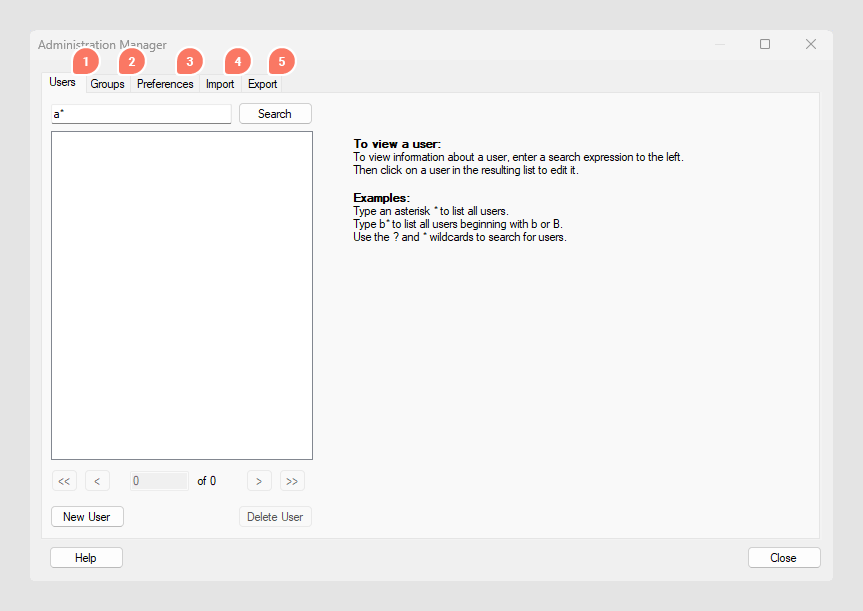
1. Users
In the Users tab you can change passwords, and view enabled features for a user. You can assign a user to be a member of a group from the Users tab, but it is easier to configure which users should be members of a group from the Groups tab.
- A Spotfire user is a user whose username is registered on the Spotfire Server. The list of users can either be directly linked to an existing Windows user directory, or a stand-alone list only residing in the Spotfire Server database.
- A group is a collection of users, and can also contain other groups as members.
- A user can be a member of one or many groups.
- A group can be a member of another group, but no circular memberships are possible.
- All users are members of the Everyone group. The Everyone group cannot be deleted and will always contain all users.
- Licenses are only set on group level, never for individual users. The active licenses for a user are determined by the groups the user is a member of.
2. Groups
The Groups tab of the Administration Manager allows you to create and delete groups, and manage the members of a group.
- A Spotfire user is a user whose username is registered on the Spotfire Server. The list of users can either be directly linked to an existing Windows user directory, or a stand alone list only residing in the Spotfire Server database.
- A group is a collection of users, and can also contain other groups as members.
- A user can be a member of one or many groups.
- A group can be a member of another group, but no circular memberships are possible.
- All users are members of the Everyone group. The Everyone group cannot be deleted and will always contain all users.
- Licenses are only set on group level, never for individual users. The active licenses for a user are determined by the groups the user is a member of.
- A deployment area can be set for each group in the Spotfire Administration Console. The deployment areas are used, for example, to manage multiple client versions with one server. When a deployment area is specified for a group, all members of that group can access the packages in the specified area. If no deployment area is set for a group, the group members get the default deployment area. The default deployment area is overridden when a deployment area is specified for a group.
3. Preferences
The Preferences tab of the Administration Manager lets you specify certain preferences that should be used by default for the members of a group. Examples of these preferences could be, say, which font to use for labels, the default marker shape of scatter plots, etc. Preferences, like licenses, are inherited from parent groups further up in the group hierarchy if such a hierarchy exists. For details on how preferences are inherited, see Setting Primary Group.
Example
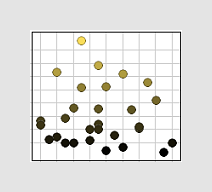
When the Sales Analysts open data in Spotfire they most often want to use a Cross Table to visualize the data, and they want cells with low values to be colored red and cells with high values to be colored green.
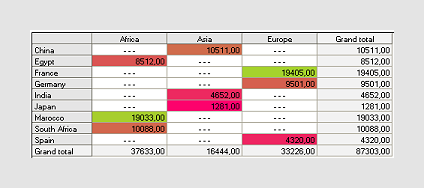
Now, each user could define his or her preferences and defaults locally on their clients. However, a more user friendly way of doing the same thing, is for the administrator to define these default behaviors for the groups on the server. That way, each member of the groups will automatically get the appropriate behavior for his or her specific group.
4. Import
The Import tab of the Administration Manager allows you to import previously exported users and groups to the Spotfire Database user directory on the server. You can also import a list of users from some other system if it is in the STDF format.
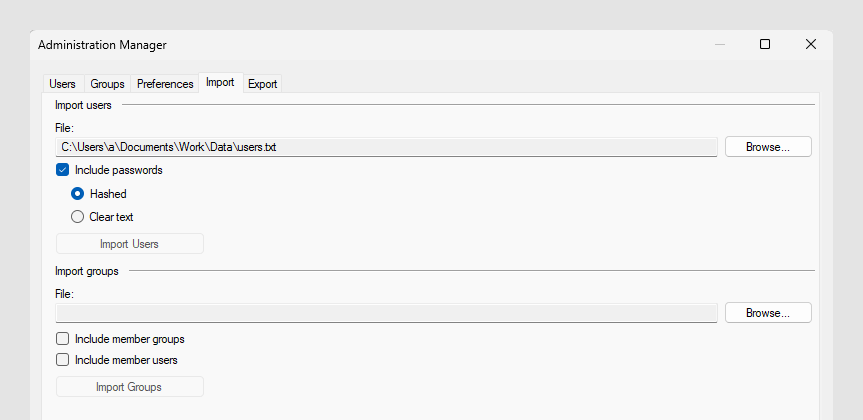
You must always import the users before you import any groups. Users can be imported with or without their passwords and the passwords can be included either hashed or in clear text. Do not select to include the passwords if you use LDAP authentication, only when the Spotfire database is used for authentication.
When importing groups you can select whether to import groups as a simple list of the available groups only, or whether you also want to keep the information about which groups were members of other groups. You will also have the possibility to bring along information about which users were members of a certain group.
5. Export
The Export tab of the Administration Manager lets you export the current users and groups from the Spotfire Database user directory on the server. This way, you can import and reuse the information on a different server if you need to change servers.
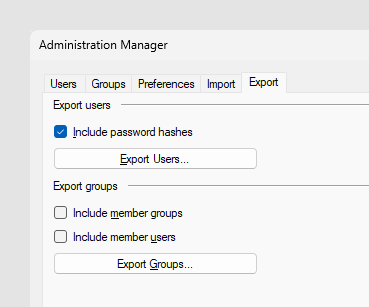
Users can be exported with or without their password hashes. Passwords are only relevant if you use the Spotfire database for authentication.
When exporting groups you can select whether to export groups as a simple list of the available groups only, or whether you also want to keep the information about which groups were members of other groups. You will also have the possibility to bring along information about which users were members of a certain group.